Google Health 5.0 App Review: Design Flaws Hurt Fitbit Air Data
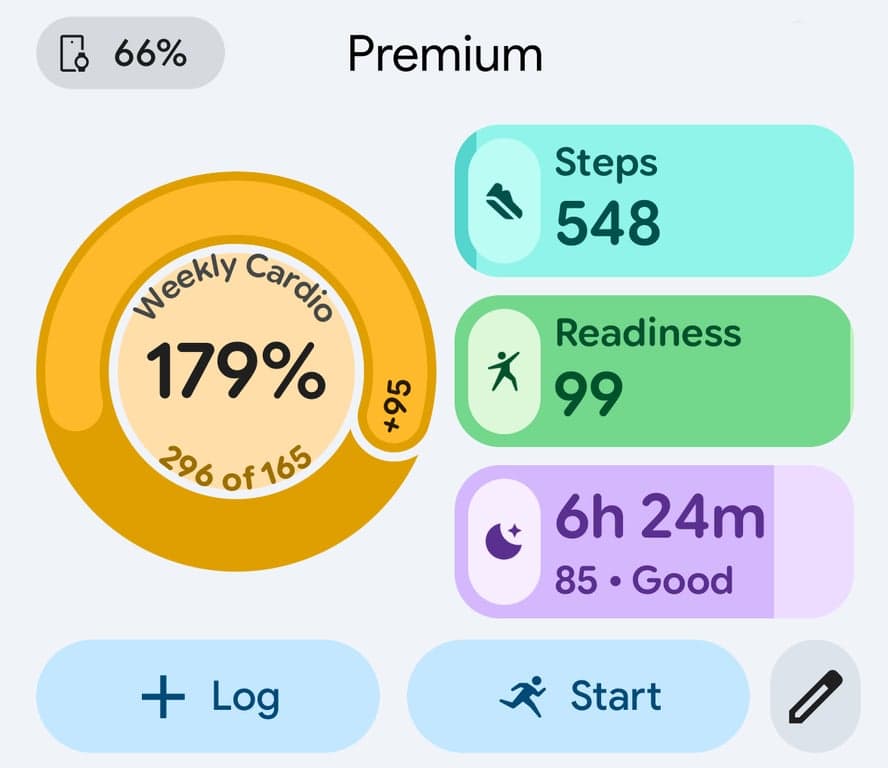
Google Health 5.0 launched with a bold redesign and Gemini AI front and center. The problem? A $99 screenless tracker, the Fitbit Air, has done a better job exposing the app's weak spots than any flagship device could. When your hardware is this stripped back, the software has nowhere to hide.
Interface and Navigation
The new Google Health app looks clean at first glance. Modern cards, smooth transitions, a Gemini chat interface that feels like it belongs in 2026. But spend a week training with it and the cracks show fast. Key metrics like resting heart rate, HRV, and sleep stages are buried under AI-generated text summaries. You should not have to scroll past three paragraphs of Gemini commentary to find your SpO2 trend from last night.
The clutter is real. Garmin Connect is not perfect, but you can get to your VO2 max estimate, training load, and body battery in under two taps. Polar Flow surfaces your nightly recovery score on the home screen. Even the Whoop app, which is entirely recovery-focused, gives you your strain and recovery percentage the second you open it. Google Health 5.0 makes you work for data that should be front and center for any endurance athlete.
The Gemini integration is the core of the redesign, and it is both the most promising feature and the biggest UX problem. The AI coach layer adds real value when you ask it a specific question about your training load or ask it to explain why your HRV dropped after a long ride. But Google has made Gemini the default view rather than an optional layer. For a triathlete who wants raw numbers fast, that is the wrong call.
Sensor Data and Accuracy
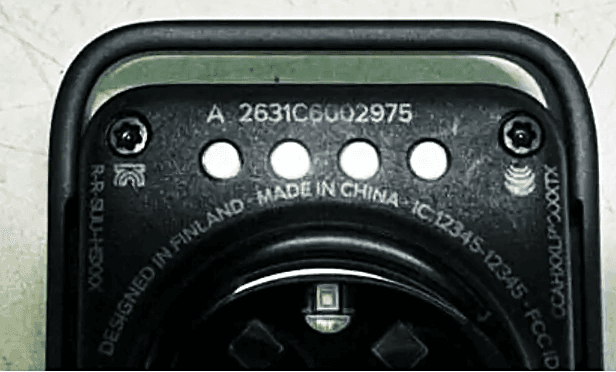
The Fitbit Air itself uses PPG optical sensors on the wrist to measure heart rate and blood volume pulse. That data feeds HRV calculations, SpO2 readings, and the stress score. The hardware is solid for $99. The optical sensor performs comparably to the Whoop 4.0 in steady-state efforts like zone 2 runs and long cycling sessions. Where it struggles, as covered in our [Fitbit Air cadence lock piece](/en/articles/fitbit-air-cadence-lock-and-google-health-app-design-failures-2026-06-01), is high-cadence running where optical PPG gets confused by motion artifact and cadence lock becomes a real issue.
The barometric altimeter reads air pressure to estimate elevation gain, which works well enough for cyclists climbing consistent gradients. GPS is handled by your phone, not the device itself, which is a significant limitation for athletes who want to leave their phone at home. Coros Pace 3 at $199 gives you built-in GPS and a screen. That comparison matters when you are deciding whether the Fitbit Air plus app ecosystem is the right investment.
App Performance for Endurance Athletes
For runners, the post-workout breakdown is adequate but not deep. You get pace, heart rate zones, and a Gemini summary. What you do not get is a lactate threshold estimate, running power (even derived), or a meaningful training effect score like Garmin offers. Cyclists face similar limitations, though the heart rate zone breakdown is useful for zone 2 work. The [DIY bicep sleeve fix](/en/articles/fitbit-air-on-your-bicep-diy-sleeve-fix-and-150-minute-ride-data-2026-06-06) some athletes have tried shows how creative users are getting around the hardware constraints, but the app still does not structure cycling data the way Garmin or Wahoo does.
Swimmers get the roughest deal. Open water swim data has documented issues with data loss, which we broke down in our [Fitbit Air open water swim article](/en/articles/fitbit-air-open-water-swim-data-loss-what-athletes-need-to-know-2026-06-06). Pool swim tracking is functional but basic. Apple Watch Series 10 handles swim metrics at a similar price tier with far more detail. For triathletes using this as their primary training tracker, that is a gap that matters.
What is genuinely missing from Google Health 5.0 is a training load dashboard. There is no acute-to-chronic workload ratio, no TSS equivalent, no fitness freshness curve. Whoop gives you strain history. Garmin gives you training readiness. Google gives you a Gemini chat window. For serious endurance athletes, that is not a replacement.
The verdict: Google Health 5.0 is a capable app for casual users and health-focused tracking. For triathletes, runners logging 60-plus miles a week, or cyclists with structured plans, it falls short of Garmin Connect or even the Polar Flow ecosystem. The Fitbit Air at $99 is interesting hardware, as the [full review](/en/articles/fitbit-air-review-100-display-less-band-vs-whoop-in-2026-2026-06-05) covers in detail, but the app redesign makes a harder case for it, not an easier one. If you are already in the Garmin or Coros ecosystem, there is no reason to switch. If you are a Whoop user curious about Gemini AI coaching, the Fitbit Air is worth a look, with low expectations for the interface.
Mentioned watches
Head-to-head comparisons
Buying guides